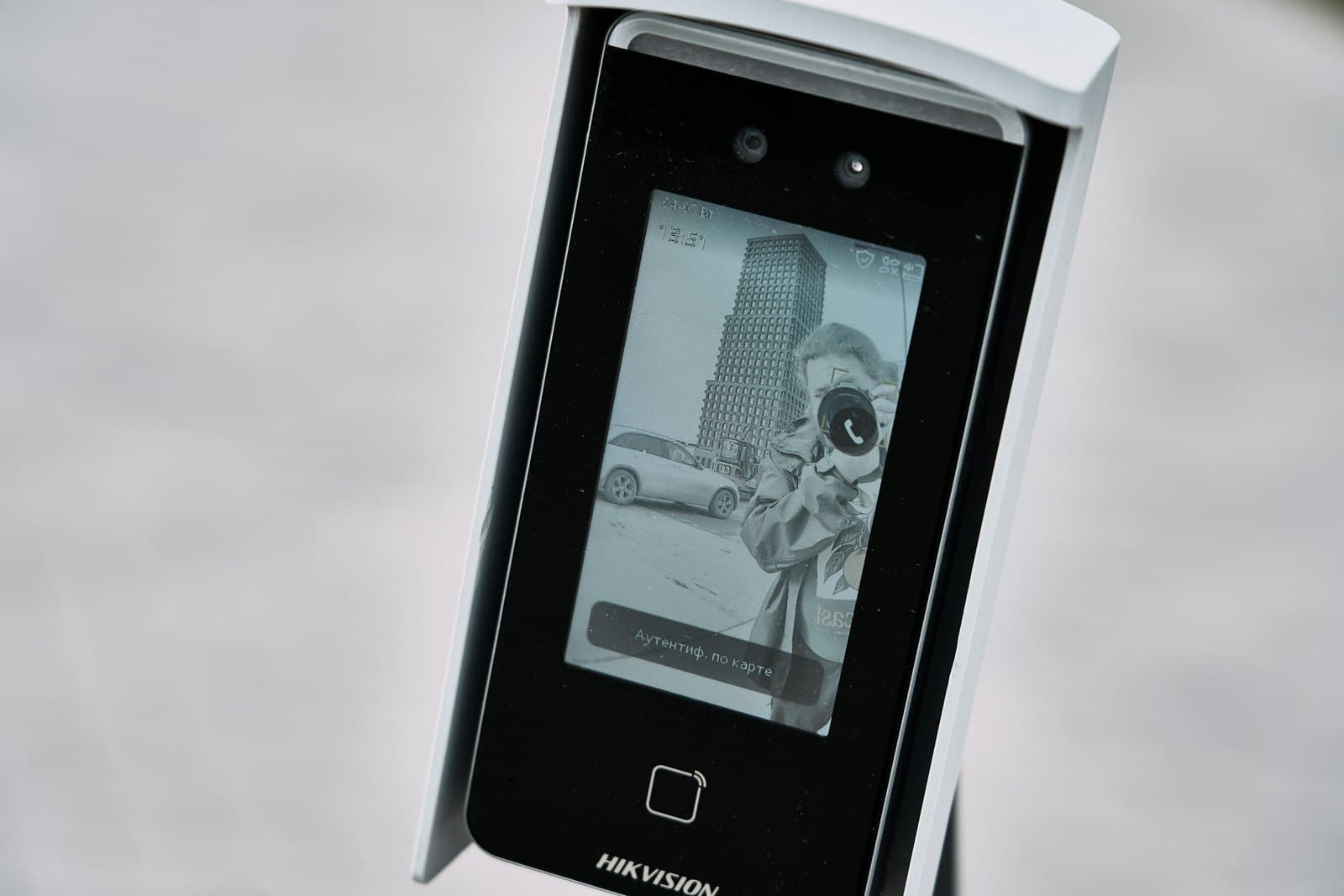
What the price of a biometric attendance machine is made of
A quotation for a biometric attendance machine usually bundles four things: the device, the software that reads its records, the work of installing it and enrolling everyone, and whatever carries the record to payroll. Two quotes can reach the same total and split it in very different ways, so ask for each part on its own line.
The device is priced mainly by how it recognises people and how many it can hold. The software may come free with the machine, be bought once, or be paid for every month. Installation depends on the building and on how many staff need enrolling. The payroll link is either a file exported once a month or a live connection to an HR system.
None of these parts has a fixed price. Each follows the number of people you employ, your entrances and branches, and the way your shifts run. Where power cuts are frequent, a battery or a UPS joins the list. That is why this guide explains what moves the price rather than quoting a single figure.
Fingerprint, face or card: how the attendance machine recognises people
Of the three, a card reader is normally the cheapest to buy, a fingerprint model sits in the middle, and a face model is dearest. Machines that accept two or three methods sit above all of them.
The price is not the only difference. A card can be handed to a colleague, who then clocks in on someone else's behalf; a finger or a face cannot be lent. Fingerprints wear down on hands that do heavy work, and dust, oil or cement on a finger stops the reader, which we see often in factories, workshops and building sites. A face machine reads without being touched, works with worn fingerprints and keeps the queue moving when a shift starts.
So many companies put face machines at the workers' entrance, fingerprint machines in the offices, and keep cards for visitors and contractors.
- Costs less than a face machine
- Needs a clean finger that is not worn
- Staff touch the reader at every scan
- Suits offices and clean workshops
- Costs the most of the three
- Reads without contact, even with gloves on
- Works with worn or dirty fingers
- Suits factories and busy entrances
- Costs the least
- Can be lent to a colleague
- Gets lost and needs replacing
- Suits visitors and contractors
How many staff and records an attendance machine holds
Every attendance machine works within limits its maker publishes: how many faces or fingerprints it accepts, and how many clock-ins it keeps before they move to the software. A machine that suits a small office will struggle at a factory gate, and one that fills its memory in a week needs its records pulled often.
How staff arrive counts for as much as how many there are. When a whole shift arrives in the same ten minutes, one machine means a long line and staff marked late through no fault of their own. The number of machines follows the busiest minutes of the day. A factory with two hundred workers on one shift may need more machines than an office whose staff arrive across the morning.
Ask the supplier how many people the machine accepts, how many clock-ins it stores and how long one reading takes, then check those figures against your largest shift.
Choosing how to pay for attendance software
The software turns raw clock-ins into working time. It applies the shift rules, picks out late arrivals and overtime, and prepares the monthly report. Many attendance machines come with a basic program that runs on one computer, which suits one site with simple shifts.
Larger programs are either bought once and run on a server in your office, or paid for monthly in the cloud, usually by the number of employees. A program on your own server sends no monthly bill, but its backups and updates are yours to manage. A cloud program bills you every month, and in return HR can see every branch from a browser or a phone.
Whichever you choose, test it on your real shifts before you buy: night shifts that cross midnight, rotating shifts, Fridays and public holidays. A cheaper program that cannot handle them costs more in spreadsheets corrected by hand every month.
Linking the attendance machine to payroll, Excel or Odoo
A clock-in is worth nothing until it reaches payroll. The simplest route is a monthly Excel file the software exports and the accountant imports or retypes. That works for a small team, but someone has to check and correct the file by hand every month.
A direct link sends attendance straight into the payroll or HR system, so late arrivals, absences and overtime reach the salary without retyping. Odoo, for example, has an attendance app that machines can feed, and its payroll can use that time. The link takes more work to set up, and someone has to look after it whenever either side is updated.
Ask how the records travel from the machine: on a USB stick, over the office network, or across the internet to a cloud program. A machine emptied by USB costs less, but someone has to walk to it. A networked machine sends its records automatically, and one linked to the cloud lets each branch report to head office.
Power cuts: keeping the attendance machine working when the electricity stops
Power cuts carry a real cost in an Egyptian workplace. An attendance machine with no backup goes dark, nobody can clock in until the power returns, and HR ends the month fixing the record by hand. Whatever the machine stored before the cut stays in its memory; what you lose is the new clock-ins.
Some machines hold a battery inside that keeps them going for a while. Others need a small UPS beside them. A networked machine also needs the switch it connects to on backup power, or it keeps reading faces but cannot send them anywhere. Ask how long the backup lasts, and whether the quote includes it.
A machine that also opens a door needs more: a power supply with its own battery for the lock, and a clear rule for what the door does when that battery runs out. Doors on an escape route have to open, so nobody is ever shut in.
When the attendance machine becomes part of access control
Fixed to a wall by reception, a machine that only records attendance asks for a socket, a network cable and a program. Once the same scan has to unlock a door, the machine becomes part of an access control system, and the shape of the price changes.
Each controlled door adds a lock that suits it, such as a magnetic lock on glass or an electric lock in a wooden or metal frame. It also adds a controller that decides who may open the door and when, an exit button on the inside, and a power supply with a battery. Doors on an escape route also need a link to the fire alarm. Most of these lines repeat with every door, so in a larger project the cost per door, not the machine, drives the budget.
That is why many companies keep the two jobs apart: the attendance machine stays by the staff entrance, while a lock goes only on the few doors that need one, such as the server room, the store and the cash office.
How to get attendance machine quotes you can compare
List the cost drivers on paper before any supplier visits: how many staff and shifts, how many entrances and branches, whether any door must lock, which payroll system the attendance must reach, and how often the power fails where the machine will hang.
Every supplier should then answer one list. Name the model for each entrance and the number of staff it can store. Say whether the program is included, a one-off purchase or a monthly plan, and what the second year costs. Say who takes the staff fingerprints or faces, and in what form the records reach payroll. Explain what keeps the machine on when the power fails. State the warranty on the device and the fitting, and how maintenance is charged.
That is also how we quote. We visit the site, count the staff and the shifts, and price the whole job once, before any installation begins.
- 01Survey the entrancesCount staff, shifts and doors, and check the power and the network at each point.
- 02Choose the machinesFace, fingerprint or card for each entrance, sized for the busiest shift.
- 03Install and enrolPut the machines in place, connect them to the network and backup power, and add every employee.
- 04Set the shift rulesEnter the shifts, late margins, overtime and holidays in the software.
- 05Connect payrollSend the first month's attendance to payroll or Odoo, and check it with HR.