Why Wi-Fi fades in parts of the office
A single router usually sits where the internet line reaches the office, often in a cupboard or a corner, and its signal weakens with every wall it crosses, leaving dead zones at the desks furthest from it. UAE offices add obstacles of their own: concrete cores around the lifts and stairs, glass partitions, metal ceiling tiles and coated glass in the windows. In a tower, dozens of neighbouring offices broadcast their networks on the same channels, so the networks crowd each other even where the signal looks strong.
The second cause is the number of devices. Every person now has a laptop and a phone, often more, and all of them share the same access point. A router made for a home serves a family well and slows down when thirty people join video calls at once. That is why a weak signal in one room and a slow network everywhere are different problems with different fixes: the first is coverage, the second is capacity, and an office needs both planned.
Router, extender, mesh or access points: what fits an office
A router on its own suits a small office in one open room. Once the signal has to cross walls or floors, there are three ways to take it further. An extender, also called a repeater, picks up the router's signal and sends it on, but it receives and resends with the same radio, so much of the speed is lost on the way, and devices tend to stay connected to the weaker signal. It is a fix for a home, not for an office.
A mesh system places several units around the space that talk to each other by radio under one network name. It is easy to set up and suits a small office or a villa, but every hop between units costs speed, and the kits sold for homes offer few of the management tools a business needs. Access points are the office answer: each one is wired to a switch with its own cable, all of them are managed together from one controller or cloud dashboard, and a device moves from one point to the next as its owner walks, so a call on a phone usually carries on between rooms. Many mesh kits can also be linked by cable, which brings them closer to access points, but they still lack the management a company network needs.
- Units linked by radio
- Each hop between units costs speed
- Few business management tools
- Suits a small office or a villa
- Little cabling needed
- Each point on its own cable
- Full speed at every point
- Managed together from one place
- Suits offices, warehouses and growing floors
- Needs a cable to every point
How many access points an office needs
Floor area alone does not set the number. What matters more is how many devices connect at the same time and what stands between them and the access points. Count devices rather than people: a laptop and a phone for each person, plus printers, screens in meeting rooms and any phones or cameras on Wi-Fi. Then mark the places where many people connect at once. A meeting room that seats twenty, or a training room, often needs an access point of its own even when the signal from the corridor reaches it.
The way to find the right number is a site survey. A predictive survey models the floor plan with its walls and materials and proposes a position for each access point; a survey on site measures the real signal and the interference from neighbouring networks. After installation, a second measurement produces a heat map of the signal in every room, and that map is worth asking for at handover. Think about growth as well: running cable to a few spare positions while the ceiling is open saves a second job later.
Where access points go, and why each needs its own cable
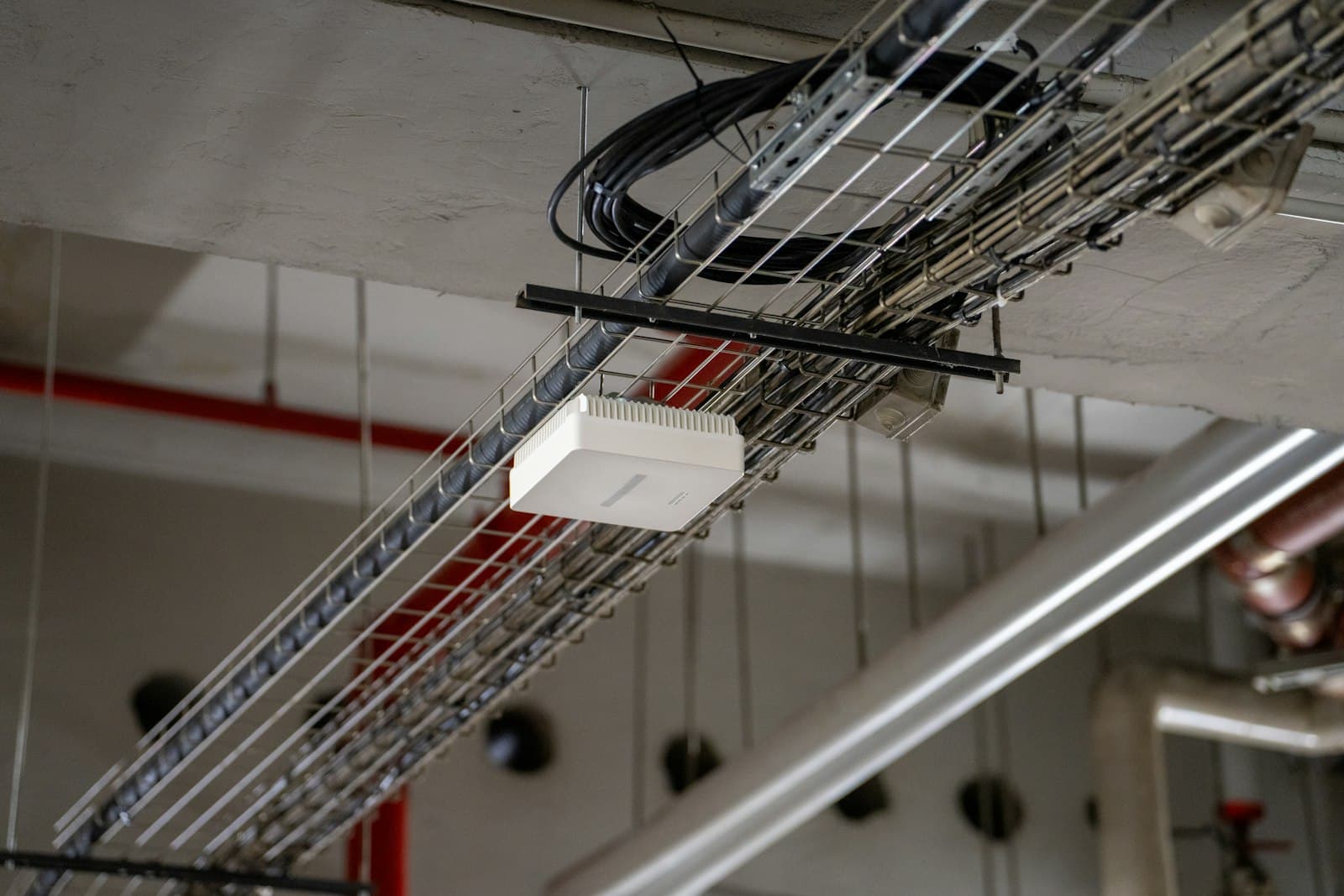
An access point covers best from the ceiling, in the middle of the area it serves, with no metal between it and the people below. Hiding it above metal ceiling tiles, inside a cupboard or behind a screen cuts its reach and leaves dead zones, and a point at the edge of a room spends much of its signal on the corridor. Warehouses, rooftops and outdoor seating need models built for high ceilings, dust and the open air, rated to keep working in the heat of a UAE summer.
Each access point needs a network cable back to a switch, and the same cable powers it through PoE, so the ceiling needs no power socket. The cable matters more than it seems: a run longer than 100 metres, a damaged cable or a switch without enough PoE power leaves an access point slow or restarting. Wi-Fi 7 access points in particular often need more power than older switches supply, and a port faster than one gigabit. Our guide to structured cabling explains how to plan the cable runs that reach them.
Guest Wi-Fi and devices: keeping them off the company network
Staff, guests and devices should not share one network. Guests need the internet and nothing else, so their network should not see the company's computers, printers or files, and guest devices should not see each other either. Cameras, screens and other smart devices belong on a network of their own, because they rarely receive updates and attackers often use them as a way in. Each network gets its own name on the same access points and reaches the firewall as a separate VLAN, where its rules are set.
The staff network deserves more than one shared password that every former employee still knows. Use WPA3 where the devices support it, and in larger offices let each person sign in with their company account, so anyone who leaves loses access the day their account closes. Renew the guest password regularly, or use a sign-in page, and limit the guest network's speed so a visitor's download does not slow the office. Our guide to choosing a firewall explains how these networks are kept apart at the edge of the network.
Wi-Fi 6 or Wi-Fi 7, and the speed you actually get
Wi-Fi 6 suits crowded spaces, because it divides the airtime between many devices more efficiently than older standards, and in an office that matters more than its top speed. Wi-Fi 6E adds the 6 GHz band, which is far less crowded, and Wi-Fi 7 adds wider channels and the ability to use more than one band at once. The newer standards help only the devices that support them, and most offices still run a mix of older laptops and new phones.
For most offices today, Wi-Fi 6 or 6E access points are the sound choice, and Wi-Fi 7 is worth considering for a new fit-out meant to last years, provided the switches and cabling can feed it. The speed a person sees is capped by the slowest link on the way: the internet line, the switch port, the access point and the device itself. A faster access point on a slow line adds nothing, which is why the survey looks at the whole path rather than at the Wi-Fi alone.
What sets the price of office Wi-Fi
Office Wi-Fi has no single price, because the cost follows the space and the people who work in it. Five things make it up. The survey and design come first, because they decide everything after them. The access points come next, priced by their standard, by indoor or outdoor use, and by how many the space needs. The cabling to each point varies most from one office to another, depending on how easy the ceiling is to reach. The PoE switch has to power every point. And the setup covers the networks for staff, guests and devices, roaming between points, and a measured heat map at handover.
Some makers add a running cost for management: access points managed from a cloud dashboard often need a yearly subscription for each point, while others run from a controller or an app with no recurring charge. Ask which applies before you compare quotes, and compare the number of access points each quote proposes, because a cheaper quote with fewer points usually means weaker coverage.
We start with a survey of your space, the people and devices that use it and the cabling already in place, then design the coverage and quote one fixed price for that scope before any cable is pulled.
- 01Count the devicesLaptops, phones, screens and cameras, and the places where many connect at once.
- 02Survey the spaceWalls, ceilings, glass and neighbouring networks, measured on site.
- 03Choose the equipmentWired access points for an office, in a standard your devices support.
- 04Cable every pointFrom a PoE switch with enough power and fast enough ports.
- 05Separate the networksStaff, guests and devices, each on a network of its own.
- 06Measure at handoverA heat map that shows the signal in every room.