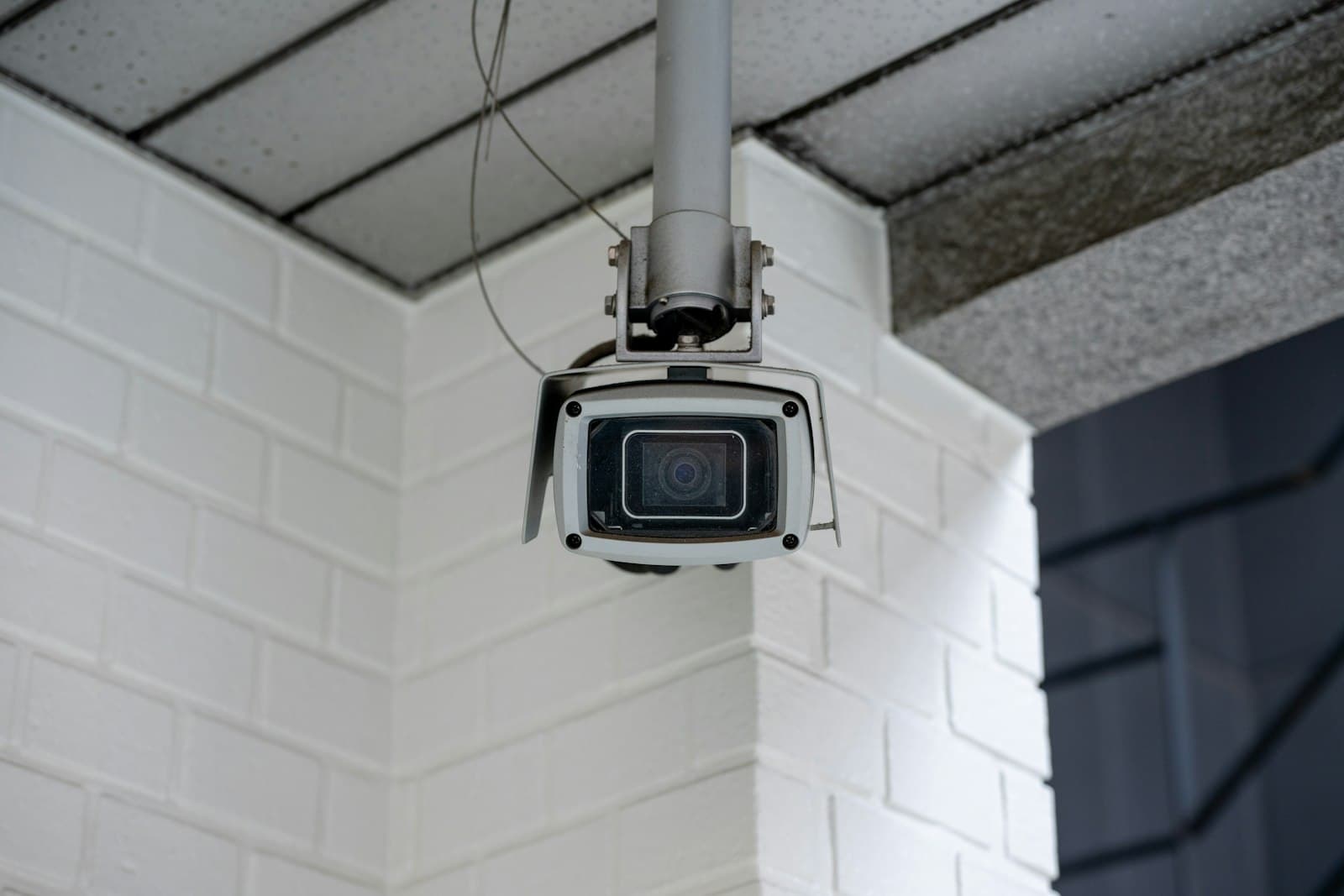
What a home CCTV system should show you
Choosing the right system starts with the moments you want on record, not with a number of cameras. In most homes they are the same few: who comes to the gate or the front door, which cars enter the driveway, what happens at the back door and in the garden, and the deliveries left at the entrance. A system that answers those questions clearly beats a bigger one that films everything from too far away.
Two details decide whether the footage is any use. The first is the face: a camera at the entrance should see a visitor's face at about head height, not the top of a head from under the roof. The second is the night, since much of what you will want to check happens after dark. After dark the camera relies on infrared or on the light around the house. Check both before you choose a model, because a sharp daytime picture says little about either.
How many cameras a villa needs, and where they go
The number follows the villa's entrances and outside walls more than its size. Start with the gate, where a camera can see faces and number plates, and with the driveway. Add a camera at the front door and another at the back door or the garden gate. A side passage between the villa and the boundary wall deserves one of its own, because it is the quiet way in. Inside, a camera in the entrance hall may be enough, if you want one indoors at all.
Placement matters as much as the count. Mount outdoor cameras out of easy reach, but not so high that they see only the tops of heads. About 2.5 to 3 metres suits most walls, with the entrance camera lower, near face height. Point each camera along a wall rather than straight out, so it covers a strip of ground and the next camera covers the strip after it. Avoid facing the low sun or a bright lamp at night, which turns the picture into glare.
If the gate already has a video intercom, it shows you a visitor when they press the button. A CCTV camera watches the street side of the gate all the time, so the two do different jobs.
When Wi-Fi cameras are enough, and when you need a wired system
Wireless security cameras are quick to fit and suit a flat, or a room or two. In a villa they meet two problems. Concrete walls and the distance to the outside walls weaken the signal, so the cameras that matter most, at the gate and in the garden, get the weakest connection. And each camera still needs power where it hangs, or a battery that must be charged and wears faster in the summer heat.
A wired CCTV system connects each camera to a PoE switch or to the recorder with one network cable, which carries both power and picture. It keeps recording when the Wi-Fi drops, and nobody has to climb a ladder to charge it. While a villa is still being built, cable is cheap to add, because it can run inside the walls. In a finished villa it needs routes along the outside walls or through the roof. The usual result is a mix: wired cameras outside, and a Wi-Fi camera in a room a cable cannot easily reach.
Where the recordings are kept, and for how long
A camera with a memory card keeps its own footage. That is simple until a thief takes the camera, or the card fills and starts writing over older footage. A cloud service keeps clips away from the house, usually for a monthly or yearly subscription, and needs the internet to upload them. A recorder, or NVR, keeps the footage of every camera in one box at home. Its disks can hold weeks rather than days, and it keeps recording when the internet is down.
In a villa, the recorder is usually the base of a home CCTV system, with the cloud as an extra copy of the clips that matter. Put the recorder somewhere cool and out of sight, such as a locked cabinet with vents in an air-conditioned room, so a thief cannot take the evidence with them and its disks do not overheat. Connect it, the switch that powers the cameras and the router to a small UPS, so a power cut does not stop the recording. How many days to keep depends on how long you might be away: a family that travels for a month in summer needs at least a month. Recording on motion makes the same disks last longer than recording all the time.
- Sits inside each camera
- Leaves with a stolen camera
- Holds days, then writes over them
- Suits one or two cameras
- One box for every camera
- Keeps recording without internet
- Holds weeks on its disks
- Suits a villa with several cameras
- Keeps clips away from the house
- Needs the internet to upload
- Often needs a subscription
- Suits an extra copy of key clips
Watching from your phone, alerts and night vision
Almost every current CCTV system lets you watch live and play back footage on your phone, at home or abroad. What decides whether you keep using it is the alerts. A camera that warns you each time a cat crosses the garden or a palm frond moves is muted within days. Choose cameras or a recorder that can tell a person or a car from other movement. Then draw the zones that matter, such as the gate and the doors, so an alert means something.
At night, most cameras switch to infrared and show a black-and-white picture, clear enough to follow movement. Colour night vision uses a small built-in light, or the lights around the house, to keep the colours, which helps when you need to describe a car or clothing. Some cameras add a microphone and a speaker, so you can talk to someone at the gate from your phone.
A camera you can watch from anywhere can be watched by others if it is badly set up. Change the default passwords, keep the firmware current, give each family member an account of their own, and never open the cameras directly to the internet. If you already use a smart home app, ask whether the cameras can join it, so the gate, the lights and the cameras sit in one place.
Outdoor CCTV cameras in the UAE heat and dust
An outdoor camera on a sunny wall in July runs far hotter than the air around it. Its rated operating temperature is the air temperature it can work in, and direct sun adds heat on top of that. So choose a rating with a clear margin above the hottest summer day, and keep the sun off the whole camera: mount it under an overhang, or fit a sun shield over its body, not only a hood over the lens. Check that it carries IP66 or IP67 against rain and dust. Dust and sand settle on the glass and soften the picture, especially after a dusty day, so wipe outdoor cameras regularly. Check the night picture too, because dust on the glass reflects the infrared light and blurs the image.
Power cuts are rare, but the cameras should not depend on that. A small UPS on the recorder, the PoE switch and the router keeps the wired cameras recording through a cut. A Wi-Fi camera that plugs into a wall socket goes dark with the power unless it has its own battery. Run outdoor cables in conduit, out of direct sun where you can, and seal every junction box, because water and heat find any gap.
Privacy: neighbours, guests and the people who work in your home
Home CCTV cameras should watch your property, not your neighbours. Set them so they do not look into a neighbour's windows, garden or front door. Many systems offer privacy masking, which blacks out the parts of a view that are not yours. A camera that films the street outside the gate should cover your entrance, not the whole road.
Inside the house, keep cameras out of bedrooms and bathrooms, including the rooms of anyone who works and lives with the family. Tell everyone in the home, staff included, where the cameras are. Decide who can watch the app and who can download footage, and remove access for anyone who no longer needs it. Footage of other people deserves the care you give your own photos: keep it private, and delete it once it is no longer needed.
What sets the cost of home CCTV
CCTV for houses and villas has no fixed price, because the house sets most of the cost. The first lines are the number of cameras and their type, indoor or outdoor. Resolution comes next, since 4K cameras cost more and fill disks faster, and then the recorder with enough disk for the days you keep. Cabling follows: it costs least in a villa under construction and most in a finished one. Mounting height, a cloud plan, colour night vision and two-way audio add to it.
Compare quotes on the same layout: the same positions, an equal number of days of footage, and the same answer on cabling and a UPS. A lower price can simply mean fewer cameras or a smaller disk.
We visit the house first to see its gates, doors and outside walls, and any cable already there. The layout comes next, then one fixed price for that scope, agreed before anything is fitted.
- 01List what you want to seeThe gate, the driveway, the doors and the garden, and the moments you want on record.
- 02Mark the camera positionsOne per entrance and per outside wall, at a height that sees faces.
- 03Choose cable or Wi-FiCable for the outside walls, Wi-Fi only where a cable cannot reach.
- 04Decide where footage is keptA recorder out of sight on a UPS, with the cloud as an extra copy.
- 05Set up the phone appAn account for each family member, and alerts for people and cars only.
- 06Check the privacy of every viewNo neighbour's windows or garden, and no private rooms.