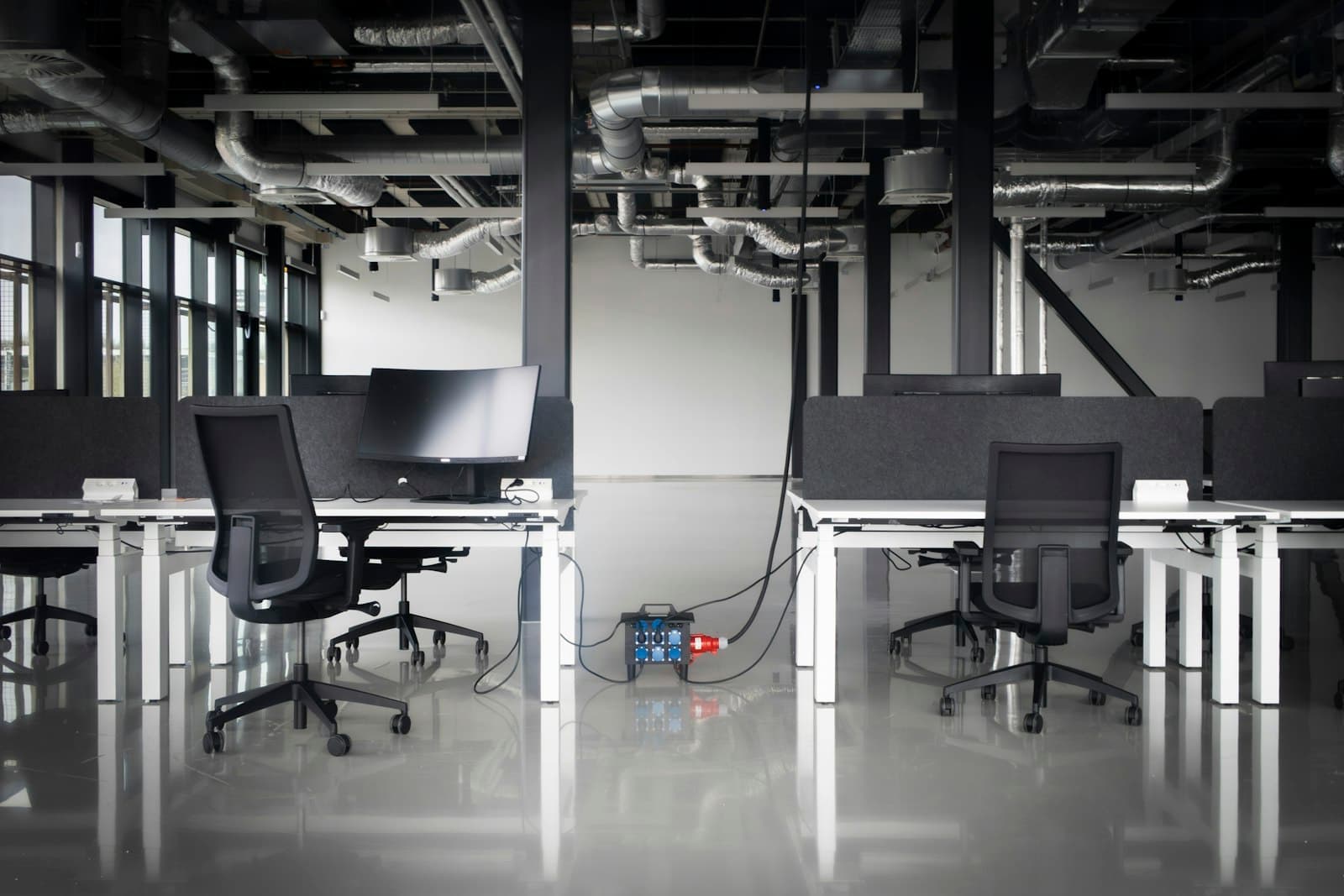
Before you sign the lease: what to check in the space
Look at the space with IT in mind before you commit to it. Ask how the internet reaches the building and your floor: which providers already serve it, whether fibre runs to the floor, and how long a new line usually takes there. A building where no line reaches your floor can leave you waiting after you have moved in.
Check what the space already has. An office fitted out before may have data points, a network cabinet and cable runs you can reuse, once they are tested and labelled. Note the power sockets and any room that could hold a network cabinet with power and cooling. Check the mobile signal inside too, since tinted glass and basements weaken it.
Then ask the building management how contractors work there. Find out which ducts and risers you can use to run cable between floors or to the roof, when work is allowed, and what they ask for before a ceiling is opened. Knowing this early keeps the new office IT work from holding up the fit-out.
Order the internet line first, and plan a backup
The internet line often takes longer to arrive than anything else in a new office, so order it as soon as the lease is signed. Agree where the line enters the space, and run it to where the network cabinet will be, not to the reception desk. Ask for a fixed IP address if you will connect from outside, link two offices over a VPN or view cameras remotely.
Plan a second connection that takes a different route, such as a line from another provider or a 4G or 5G router. A firewall can switch to it on its own when the main line fails, so a cut cable in the street does not stop the office. Size the main line for the busiest moment of the day, when video calls, cloud files and backups run together.
If the move date is close and the line is not ready, a 4G or 5G router can carry a small office for a short while. Treat it as a stopgap, and keep the old office's line until the new one is tested.
Ask what equipment the provider installs at your end, and where it needs power. Their router or fibre box usually sits in the network cabinet, with your own firewall connected behind it.
Cabling and the network cabinet: decide before the ceiling closes
In a new office, cabling is cheap to do during the fit-out and expensive after it. Before the ceiling and the partitions close, mark every data point on the floor plan: two at each desk, one for each printer and each meeting room screen, and ceiling points for Wi-Fi access points and cameras. Add a few spare points in each area, because moving desks later is easier than pulling new cable.
For the cable itself, Cat6A is the usual choice in a new fit-out. It leaves headroom for faster access points and for cameras powered over the cable. Fibre is for the long runs, between floors or buildings.
Every cable runs back to one place: a network cabinet or a small server room. Give it its own power circuit, a UPS and enough cooling for a UAE summer, and keep it out of storerooms and kitchens. A small office may need only a cabinet on the wall, while an office with a server needs a room planned for it.
Ask for the cabling to be labelled, tested and drawn on a plan that is handed over at the end. That plan is what the next engineer will need when desks move or a cable fails.
The office network: firewall, switches and Wi-Fi for every desk
The core of an office network is small: a firewall between the internet and the office, switches that connect the data points, and Wi-Fi access points. Choose switches with PoE, which powers phones, access points and cameras through the network cable, so none of them needs a socket of its own.
Plan the Wi-Fi from the floor plan, not from the claims on a router's box. Access points on the ceiling, each on its own cable, cover an office far better than one router in a corner. How many you need depends on walls, glass and how many people work in each area.
Set up the firewall before anyone connects: current updates, a strong admin password, remote access through a VPN, and rules that block what the business does not use. Buying the network gear once for the new office often costs less than carrying old devices into it that no longer receive updates.
Split the network into parts: one for staff, one for guests and TVs, one for phones and one for cameras and door controllers. A fault or a hacked device in one part is then kept away from the others, and each part can be given the priority it needs.
Phones, cameras and door access: wire them with the network
If the office will use IP phones, plan a data point and a PoE port for each desk phone, or decide early to use calling apps on laptops and mobiles instead. Your numbers can often move with you, but confirm it with the provider before the old line is cancelled.
In a new office, CCTV cameras and door access are easiest to install during the fit-out, while cables can still run through open ceilings to doors and corridors. Agree where each camera and each card reader goes, and where the recorder sits, usually in the network cabinet. Ask how the door system links to the fire alarm, so the doors release in an emergency.
Bring all of these into one plan with the network. Phones, cameras and door access share the same cabling, switches and cabinet. Planned separately, they leave an office with three contractors pulling cable through the same ceiling.
Plan each meeting room on its own: a data point and power behind the screen, a camera and microphone for video calls, and a simple way to share a laptop screen, by cable or wirelessly. Test a call from each room before the first client visits.
Devices, accounts and email: ready before the first day
Configure every laptop before it is handed out: one standard setup on each, security updates, encryption, antivirus and the apps the team uses. A business laptop with a warranty valid in the UAE saves trouble later. Connect printers and scanners to the network, with scanning straight to email or a shared folder.
Accounts matter as much as hardware. Create each person's email and access to shared files, turn on two-step sign-in, and decide who can open which folders. If the company itself is new, register its domain and set up business email before you print cards and letterheads.
Decide where shared files will live. Cloud storage suits a team that works from anywhere, while a server or NAS in the office suits large files and a slow internet line.
Settle how files are backed up before data piles up. Files in the cloud need a backup of their own, and a server or NAS needs copies kept away from the office. A new office is also the moment to list every account, password and subscription the business holds, in one place it controls.
Moving an existing office: the IT checklist for moving day
Moving an office adds a second job: closing the old site without losing anything. List every device and where it will go, label each one and its cables, and take a full backup of the server and shared files before anything is unplugged.
Move over a weekend or after work where you can, and move the network first. The firewall, switches and Wi-Fi should be running and tested in the new office before the desks arrive, with the server and phones following. Keep the old internet line and phone numbers live until the new ones are tested, then cancel them. After the move, start the server and check shared files, printers and phones before anyone logs in on the first morning.
Treat the move as a chance to retire what you no longer need. Old switches, a printer nobody uses and cables that ran under the carpet do not need to make the trip. Wiping old devices properly before they are recycled protects the data still on them.
- Order a new internet line early
- Plan every data point from scratch
- Buy the network gear once
- No old site to shut down
- Keep the old line until the new works
- Reuse what still tests well
- Back up before anything is unplugged
- Move the network ahead of the desks
First-day checks, and how we set up a new office
Before the team arrives, test everything the way a user would. Try every data point and the Wi-Fi in each room, print and scan, and call in and out on the phones. Check that the cameras record, that doors open with a card, and that the backup line takes over when the main one is unplugged. Fix the gaps before the first working day, not during it.
Then ask for the paperwork, and keep it: the floor plan with numbered points, a network diagram, the passwords kept somewhere safe, and the list of devices with their warranties. It makes the next change, or the next provider, faster.
We start from the floor plan and a visit to the space, ideally before the fit-out contractor closes the ceiling. We plan the cabling, network, Wi-Fi, phones, cameras and devices with you, and schedule the work around the fit-out and the move. Then we quote one fixed price for that scope before work starts.
- 01Check the space before signingHow the internet reaches the floor, existing cabling, and a room for the cabinet.
- 02Order the internet lineAs soon as the lease is signed, with a backup route planned.
- 03Mark every point on the floor planDesks, printers, screens, Wi-Fi, cameras and doors, plus spares.
- 04Install while the ceiling is openCabling, the cabinet, its power, and the cables for cameras and doors.
- 05Set up the network and devicesFirewall, switches, Wi-Fi, laptops, accounts and backups.
- 06Test everything, then move inEvery point, every device and the backup line, before the first working day.